
Description
Bring the feeling of Bali’s golden hour into every frame
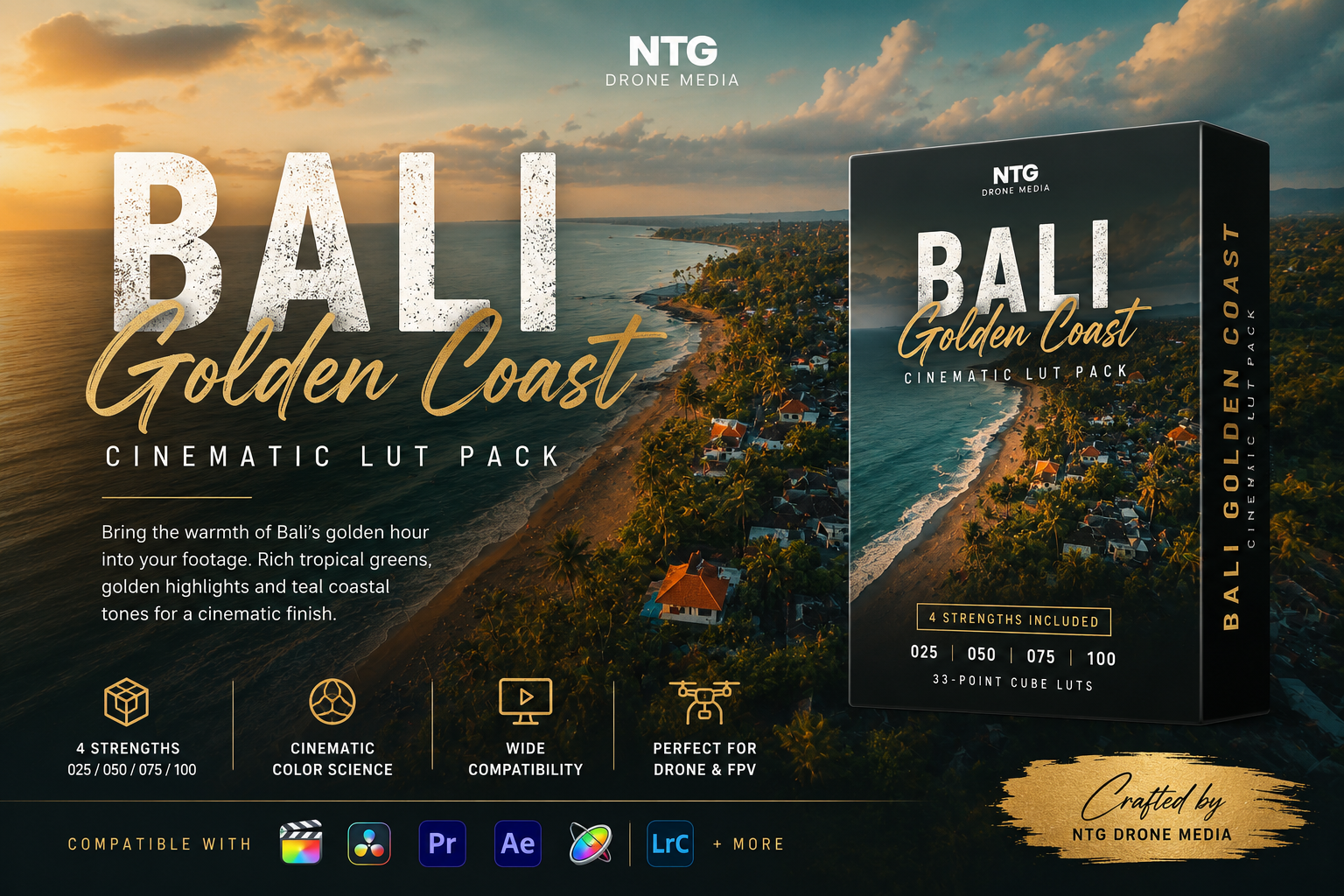
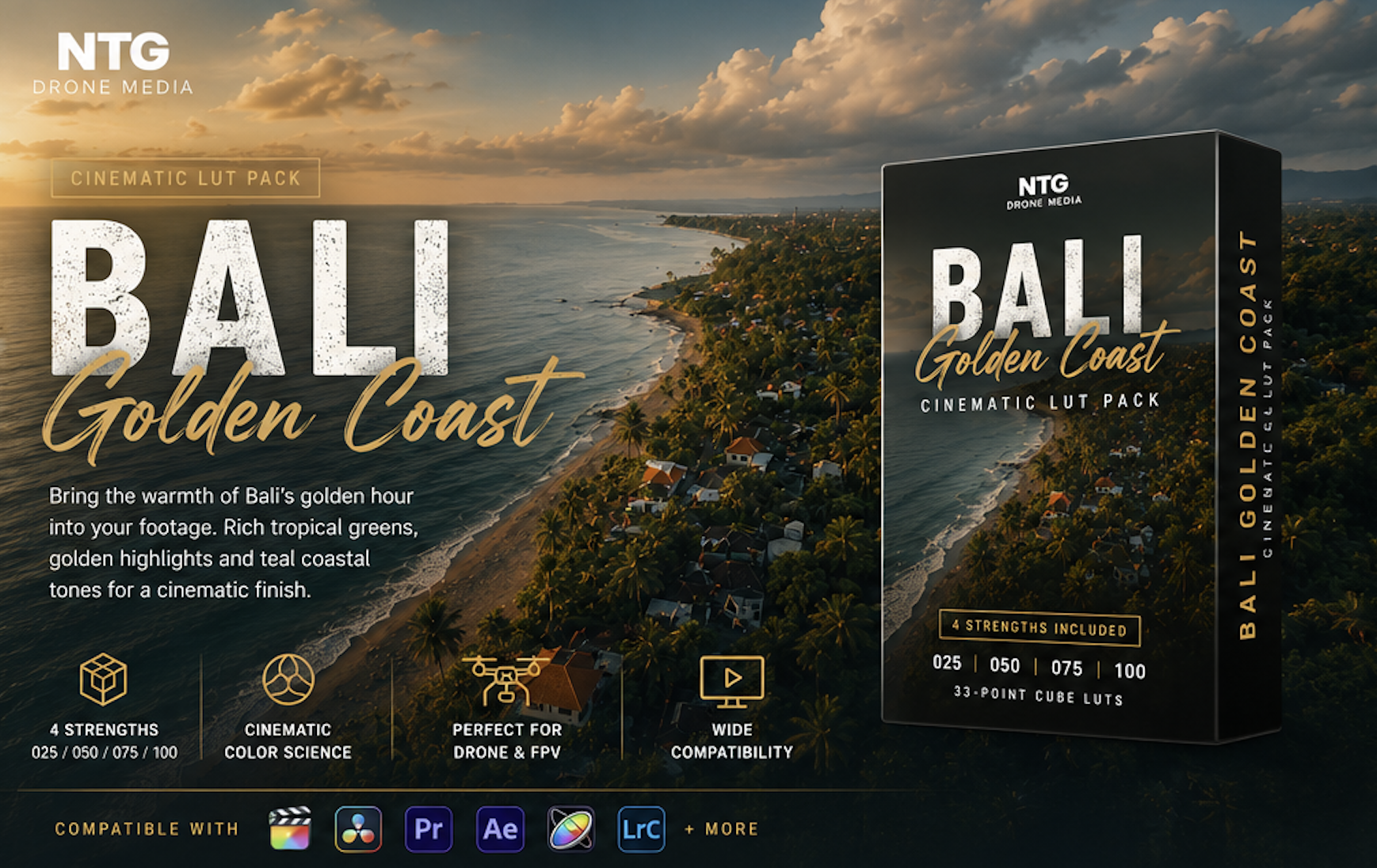
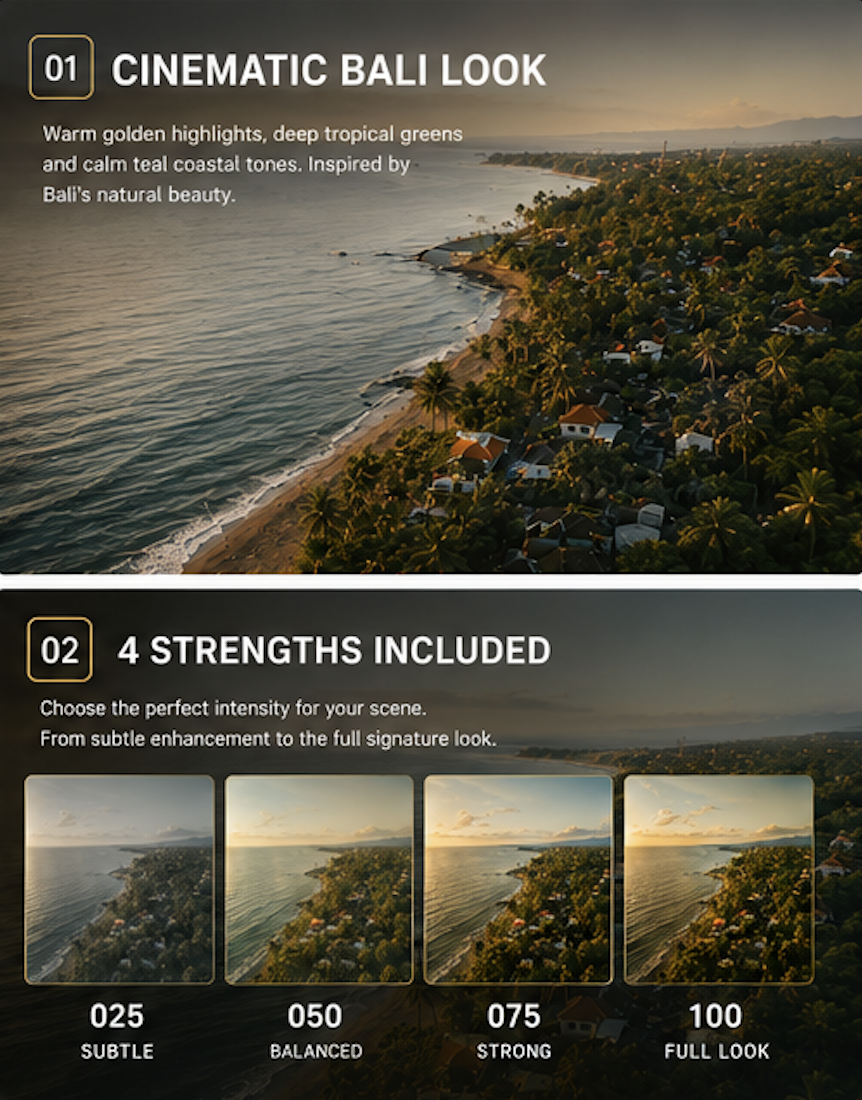
Bali Golden Coast is my signature cinematic color look, inspired by the landscapes I regularly film along Bali’s northern coastline.
The look was developed around the visual character of North Bali: warm evening sunlight falling across traditional orange rooftops, deep tropical vegetation, calm blue water and expansive coastal skies.
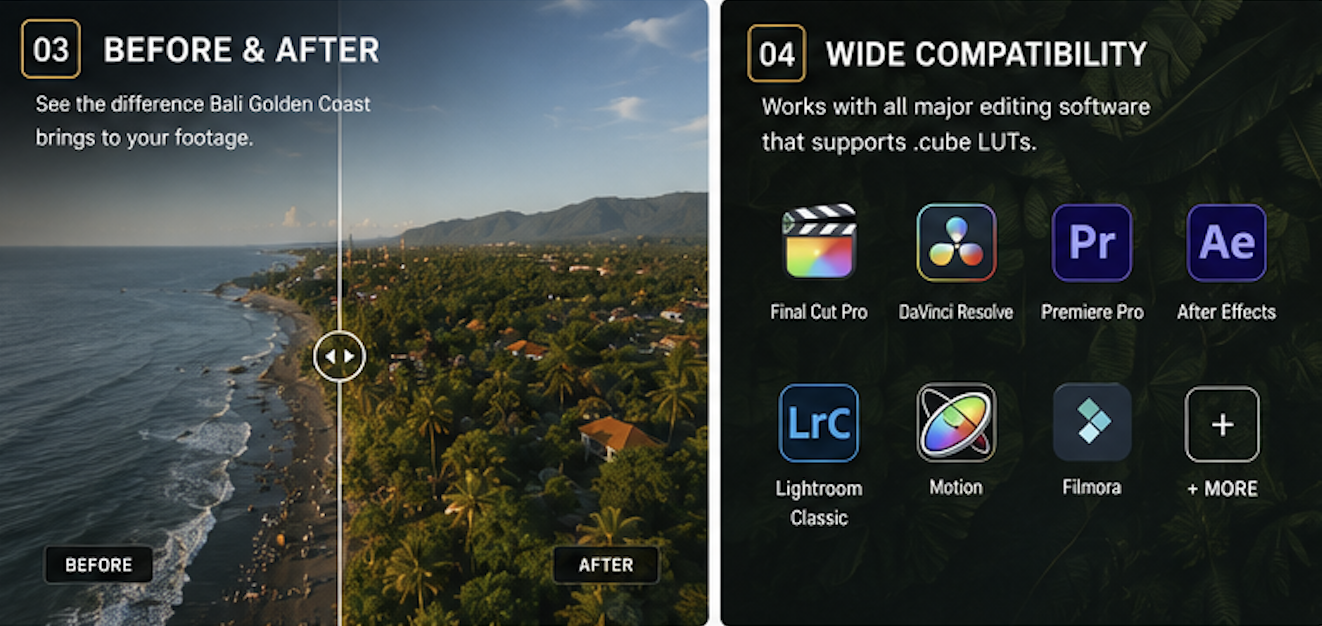
Rather than simply increasing saturation, Bali Golden Coast creates deliberate color separation. Highlights become warmer and more inviting, greens gain density and depth, and ocean and sky tones shift toward a controlled cyan-teal palette.
The result is a polished tropical look that feels warm, cinematic and atmospheric without turning the footage into an artificial orange-and-teal filter.
Golden light. Deep tropical color. The cinematic atmosphere of Bali.
The Bali Golden Coast look
This LUT is designed to give your footage:
- Warm golden-hour highlights
- Rich orange rooftops and architectural details
- Deep, cinematic tropical greens
- Calm cyan-teal ocean and sky tones
- Subtle teal-green shadow separation
- Stronger midtone depth
- Controlled highlight roll-off
- A consistent cinematic finish across an entire edit
It works especially well when your footage contains a mixture of vegetation, coastline, open skies, villages and warm natural light.
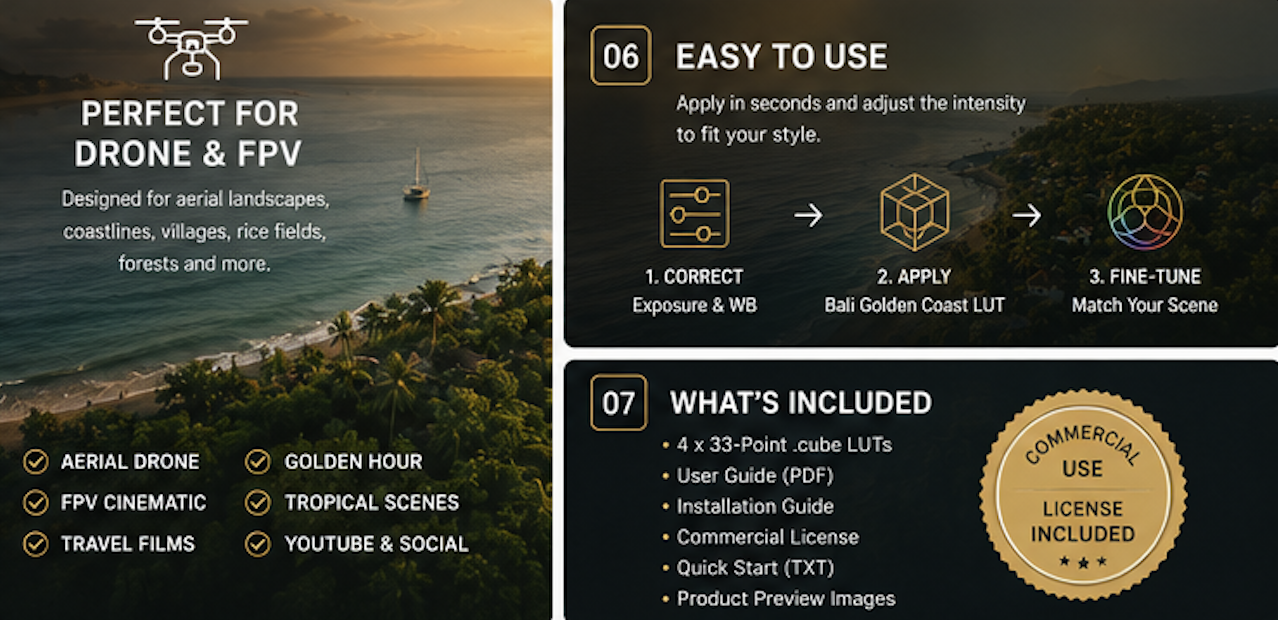
Created for aerial and FPV footage
Bali Golden Coast was developed around the visual challenges commonly found in drone footage.
Aerial scenes often contain bright skies, dark vegetation, reflective water and warm buildings in the same frame. This LUT helps separate those elements so the landscape retains depth instead of becoming flat or excessively saturated.
It is especially suited to:
- Aerial drone films
- FPV cinematic flights
- Beaches and coastlines
- Tropical villages
- Rice fields and farmland
- Forests and palm trees
- Travel films
- Sunrise and golden-hour footage
- Outdoor lifestyle videos
- YouTube, Instagram and commercial social content
What is included
Your download contains four universal 33-point
.cubeLUT files:Bali Golden Coast 025
A very subtle version of the look.
Best for footage that already has strong natural color or when you only need gentle warmth and color separation.
Bali Golden Coast 050
The recommended starting point.
It provides the main character of the look while leaving plenty of room for exposure, contrast and saturation adjustments.
Bali Golden Coast 075
A stronger cinematic finish.
Ideal for flatter footage or edits where you want the tropical greens, golden highlights and coastal blues to become more prominent.
Bali Golden Coast 100
The complete signature look.
Best for well-exposed footage with neutral white balance or when you want the most noticeable Bali Golden Coast appearance.
The pack also contains:
- Quick-start workflow guide
- Installation instructions
- Basic grading recommendations
- Personal and commercial-use license information
The four LUT files are strength variations of the same signature color style—not four unrelated looks. You can also make further intensity adjustments inside your editing software.
Compatibility
Bali Golden Coast uses the standard
.cubeLUT format and can be used in editing applications that support.cubefiles, including:
- Final Cut Pro
- DaVinci Resolve
- Adobe Premiere Pro
- Adobe After Effects
- Apple Motion
- Filmora
- Vegas Pro
- LumaFusion
- Other compatible desktop and mobile editors
Standard
.cubefiles are broadly supported by major video-editing applications, as reflected in the compatibility information already used for your Teal Forest product.Supported cameras
Bali Golden Coast is not limited to one camera brand.
It can be used with footage from:
- DJI drones and FPV cameras
- GoPro
- Insta360
- Sony
- Canon
- Panasonic
- Nikon
- Fujifilm
- Blackmagic Design
- Smartphones
- Other cameras producing Rec.709 footage
Results will vary depending on the camera, exposure, white balance, lighting conditions and the technical conversion used before applying the creative LUT.
Important color-space information
This is a creative Rec.709 LUT
Bali Golden Coast does not convert camera LOG footage into Rec.709.
For normal or standard-profile footage, you can apply the LUT directly after making basic exposure and white-balance corrections.
For LOG footage such as:
- DJI D-Log M
- DJI D-Log
- Sony S-Log2 or S-Log3
- Canon C-Log
- Panasonic V-Log
- Nikon N-Log
- Fujifilm F-Log
- Apple Log
First convert the footage using the correct manufacturer transform or color-space conversion. Apply Bali Golden Coast only after the image has been normalized to Rec.709.
This follows the same technical workflow described for your current Teal Forest LUT: normalize LOG footage first, then apply the creative look.
Recommended workflow
For the cleanest result, use this order:
- Correct the white balance.
- Correct the exposure.
- Convert LOG footage to Rec.709 when necessary.
- Apply Bali Golden Coast.
- Select the preferred strength.
- Fine-tune contrast and saturation.
- Add optional finishing effects such as sharpening, glow, grain or vignette.
A LUT should be treated as the creative foundation of the grade rather than a replacement for exposure and white-balance correction.
Final Cut Pro instructions
- Correct the exposure and white balance of your clip.
- Convert LOG footage using the correct Camera LUT or color-space override.
- Add the Custom LUT effect.
- Load one of the Bali Golden Coast
.cubefiles.- Begin with the 050 version.
- Adjust the Mix control until the look suits the scene.
- Make small finishing adjustments using Color Wheels or Color Curves.
For DJI D-Log M footage, apply the DJI D-Log M to Rec.709 technical conversion before Bali Golden Coast.
DaVinci Resolve instructions
- Complete the technical LOG-to-Rec.709 conversion on the first node.
- Add another serial node after the conversion.
- Apply Bali Golden Coast to the new node.
- Start with the 050 version.
- Use the node’s Key Output Gain to reduce or increase the effect.
- Add final exposure or saturation adjustments on a separate node.
Keeping the technical conversion and creative LUT on separate nodes gives you more control.
Adobe Premiere Pro instructions
- Correct exposure and white balance in Lumetri Color.
- For LOG footage, place the correct technical conversion under Basic Correction → Input LUT.
- Open the Creative section.
- Select Look → Browse.
- Load Bali Golden Coast.
- Adjust the Creative Intensity slider to taste.
Avoid using Bali Golden Coast as the Input LUT for untreated LOG footage because it is a creative look, not a technical camera conversion.
Grading recommendations
Start with the 050 version
The 50% file gives you enough of the signature style without overwhelming the original footage. It is the safest choice for most scenes.
Protect your highlights
The LUT works best when clouds and bright areas still contain detail. Lower exposure before applying the LUT when highlights are already clipping.
Correct white balance first
A strongly blue, green or magenta image will affect the final color result. Neutralize unwanted color casts before applying the creative look.
Adjust each lighting condition
Golden hour, midday, cloudy conditions and sunset will not react identically. Use the LUT as a consistent foundation, then make small corrections for each scene.
Keep additional effects separate
Sharpening, glow, denoising, vignette, film grain and local contrast are not contained inside the LUT. Apply them separately so you can control their strength.
Why four strength versions?
Some editing applications provide precise LUT-intensity controls, while others offer limited adjustment.
The four included versions provide quick and consistent starting points across different programs:
- 025 for subtle enhancement
- 050 for balanced everyday use
- 075 for a stronger grade
- 100 for the complete look
You can still reduce the effect further inside your editing application.
License
Single Creator / Single Business License
Your purchase allows one individual creator or one business to use the LUTs in unlimited personal and commercial productions.
You may use the LUTs for:
- Personal videos
- YouTube content
- Social-media content
- Monetized content
- Client productions
- Advertising projects
- Commercial films
- Real-estate productions
- Wedding and event videos
- Stock footage that has been rendered into a finished video
You may not:
- Share the original LUT files
- Upload the LUT files to file-sharing platforms
- Resell or redistribute the LUTs
- Include them in another LUT or preset pack
- Modify and sell the resulting LUT as your own product
- Provide the original LUT files to clients or collaborators who have not purchased a license
The final rendered videos created with the LUT may be delivered to clients. The original
.cubefiles may not be distributed.Your current Teal Forest listing uses a similar single-creator or single-business model and prohibits redistribution or resale.
Refund policy
Because this is an instantly accessible digital download, purchases are generally non-refundable after the files have been downloaded.
Please read the product requirements before purchasing. Should you experience a technical problem with the files, contact NTG Drone Media and I will help you install the LUT and check your workflow.
Adapt this language to your store’s official refund policy and applicable consumer laws.
Frequently asked questions
Is this a DJI conversion LUT?
No. Bali Golden Coast is a creative color LUT. DJI D-Log or D-Log M footage must first be converted to Rec.709 using the correct DJI technical transform.
Can I use it with normal Rec.709 footage?
Yes. Correct the exposure and white balance, then apply the LUT directly.
Which version should I use first?
Start with Bali Golden Coast 050. Move to 025 when the effect is too strong or to 075–100 when the footage needs a more noticeable finish.
Will it work with footage that was not filmed in Bali?
Yes. The name represents the visual inspiration behind the look. It can be applied to coastlines, forests, villages, travel films and tropical or warm outdoor environments anywhere.
Does it include the Mojo effect?
No. This LUT recreates the core color character of the style. Spatial effects such as Mojo processing, sharpening, glow, local contrast, masks, grain and vignette cannot be stored completely inside a standard LUT.
Will it fix badly exposed footage?
A LUT cannot recover clipped highlights, crushed shadows or incorrect white balance. Correct those problems before applying the LUT.
Can I adjust the LUT?
Yes. You can select one of the four included strengths and make further intensity, exposure, temperature and saturation adjustments inside your editing application.
Does it work with photographs?
Some photo applications support
.cubeLUTs, but the product is primarily developed and tested for video workflows.Can I use it for client work?
Yes. The included single-creator license covers your own paid client productions. You cannot provide the original LUT files to the client.
Can I share it with my editor?
The license covers one creator or one business. A separate freelance editor working outside your licensed business should purchase their own copy unless your final license terms specifically allow an additional seat.

Reviews
There are no reviews yet.